Relay Expansion Node Module
Relay Expansion Node Module
The Onion Relay Node Module, node-relay-exp is a wrapper around the libonionrelayexp dynmic C library that provides functions to setup and control the relay expansion.
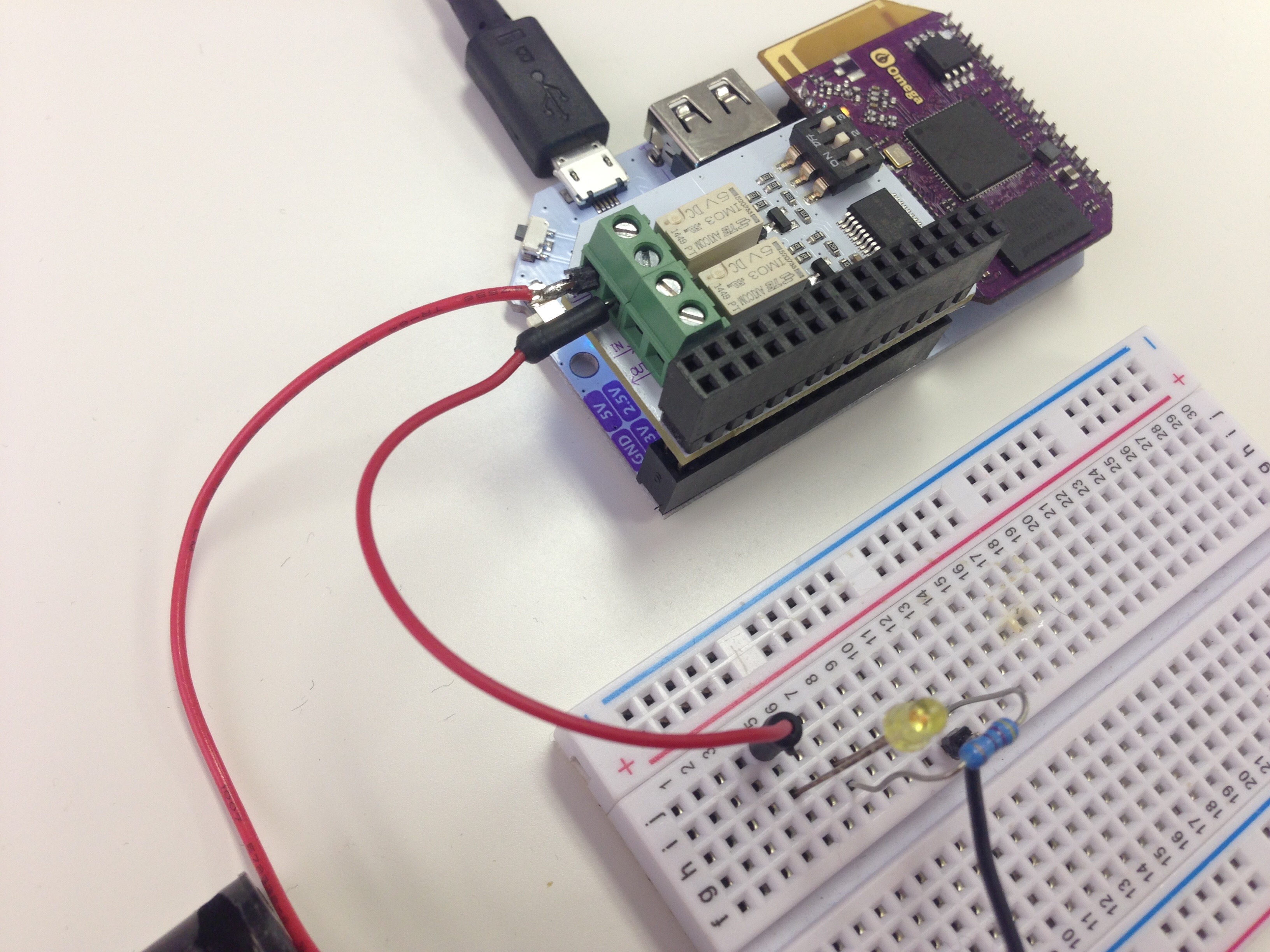
The same library is available for use in C and Python programs.
Programming Flow
After each power-cycle, the chip that controls the Relay Expansion must be programmed with an initialization sequence. After the initialization, the relays can be turned on and off at will.
I2C Device Address
The Relay Expansion is the only expansion that has a configurable I2C device address. This was done so that up to eight Relay Expansions can be stacked on a single Omega, giving the user the ability to control 16 relay modules independently.
The base device address is 0x20, the dip switches control the offset added to the base address:
- The 'Off' position for each switch is when the toggle is close to the numbers on the switch, or away from the relay modules.
- The 'On' position is when the toggle is away from the numbers on the switch, or closer to the relay modules.
The table below defines the relationship:
| Switch 1 | Switch 2 | Switch 3 | I2C Device Address | addr Argument |
|---|---|---|---|---|
| Off | Off | Off | 0x27 | 7 |
| Off | Off | On | 0x26 | 6 |
| Off | On | Off | 0x25 | 5 |
| Off | On | On | 0x24 | 4 |
| On | Off | Off | 0x23 | 3 |
| On | Off | On | 0x22 | 2 |
| On | On | Off | 0x21 | 1 |
| On | On | On | 0x20 | 0 |
The addr argument is used for library functions to specify which Relay Expansion to act on.
Relay Module Select
Each relay expansion has two channel which can be called using binary values.

The Node Module
The node-relay-exp module exposes a series of methods that perform all of the actions specified in the Programming Flow section.
Install the Module
Install the module on your Omega:
opkg update
opkg install node-relay-exp
NodeJS will need to be installed for Node programs to actually run:
opkg install nodejs
Importing the module into your Node Script
To use the module within your script you have to import it into your node program as you would a module:
var relayExp = require("/usr/bin/node-relay-exp");
Example Code
Example code that uses the node-relay-exp module can be found here in the i2c-exp-node-addons Onion GitHub Repo.
Return Values
All of the functions will either return a 0 indicating success or 1 indicating failure.
Calling Methods
Methods are called in the following format.
relayExp.method();
Replace method with your funcion of interest.
Available Methods
Refer to the table below for a list and brief description of available relay methods.
| Methods | Inputs | Description |
|---|---|---|
| init(int addr) | 0-7 | Initializes the selected relay expansion (0-7), relay states can be set after initialization. |
| checkInit(int addr) | 0-7 | Checks initialization state of selected relay expansion. |
| setChannel(int addr, int channel, int state) | 0-7,0-1,0-1 | Sets the selected channel on the selected relay to the specified states. |
| setAllChannels(int addr, int state) | 0-7,0-1 | Sets all channels on the selected relay expansion to the specified state. |
Initialization Function
This function programs the initialization sequence on the Relay Expansion, after this step is completed, the functions to set the relay states can be used with success:
relayExp.init(int addr);
Arguments
The addr argument is described above in the I2C Device Address section.
Examples
Initialize a Relay Expansion with all switches set to 0, meaning the I2C device address will be 0x27:
relayExp.init(7);
Initialize with switches set to on-off-on (device address: 0x22):
relayExp.init(2);
Initialize with switches set to on-on-off (device address: 0x24):
relayExp.init(4);
Check for Initialization
This function performs several reads to determine if the Relay Expansion requires the initialization sequence to be programmed before the relay states can be changed.
relayExp.checkInit(int addr);
Arguments
The addr argument is described above in the I2C Device Address section.
Examples
Check if a Relay Expansion is initialized:
relayExp.checkInit(0);
Set Relay State
Finally the fun stuff! Use this function to change the sate of the relay:
relayExp.setChannel(int addr, int channel, int state);
Arguments
| Argument | Input | Meaning |
|---|---|---|
| addr | 0 - 7 | I2C Device Address |
| channel | 0, 1 | Relay channel |
| state | 0, 1 | Relay state (0 - Off, 1 - On) |
The addr argument is described above in the I2C Device Address section.
Examples
Let's turn Relay0 on and Relay1 off.
relayExp.setChannel(7,0,1);
relayExp.setChannel(7,1,0);
Set State for both Relays
In the event that both relays need to be turned on or off at the same time:
relayExp.setAllChannels(int addr, int state);
This is performed with a single register write so both relays should react at the same time.
Arguments
| Argument | Input | Meaning |
|---|---|---|
| addr | 0 - 7 | I2C Device Address |
| state | 0, 1 | Relay state (0 - Off, 1 - On) |
The addr argument is described above in the I2C Device Address section.
Examples
All switches are in Off position, turn both relays on, then turn Relay 0 off, the send a command to turn both off:
relayExp.setAllChannels(7,1);
relayExp.setChannel(7,0,0);
relayExp.setAllChannels(7,0);